
Encrypt and password-protect your private files and folders.
Document Key encrypts your sensitive files and folders on Windows. Right-click to lock tax returns, contracts, ID scans and client records with a password, send them safely as encrypted packages, and let folders lock themselves when you step away. Only someone with the password can open them.
Strong encryption, as easy as a right-click.
Document Key uses AES-256, the encryption standard used by banks and governments, wrapped in a simple tool anyone can use. Everything happens on your PC - no account, no cloud service, nothing uploaded.
Protect
Encrypt files and folders
Drag files onto Document Key or right-click them in File Explorer and choose Encrypt. Any file type is locked with AES-256. To open one, double-click the .dkey file and type your password - and every time you save, the change is encrypted straight back.
Passwords and a recovery key
A strength meter and one-click generator help you pick a good password, and repeated wrong guesses are slowed down. Print or save a recovery key at setup, so a forgotten password doesn't mean losing your files.
Encrypted vault drives
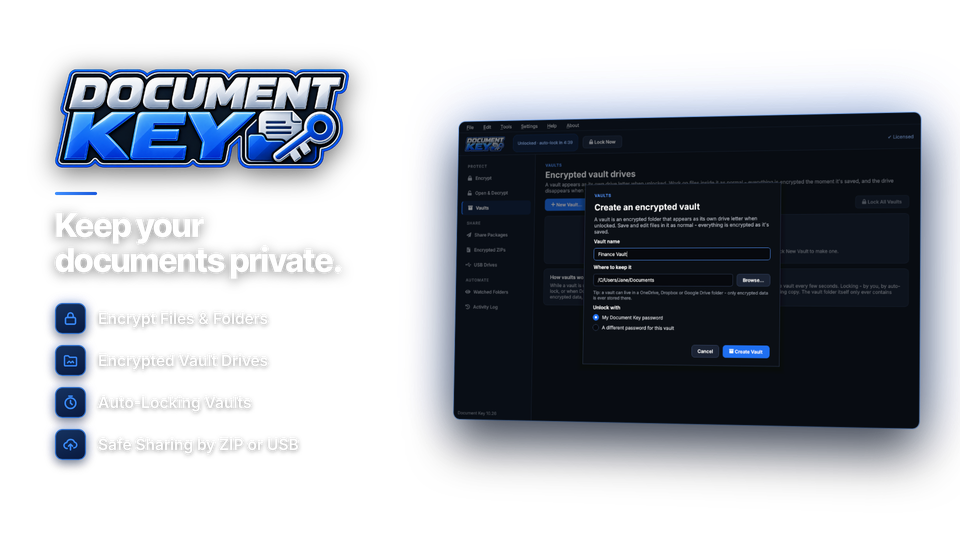
A vault appears as its own drive letter when unlocked. Work on the files inside as normal - they're encrypted as you save - and the drive disappears when you lock it.
Share
Encrypted ZIP archives
Compress and encrypt in one step to make standard AES-256 ZIP files that open in 7-Zip, WinZip, WinRAR and most other archive tools.
Protect USB drives
Encrypt the files on USB sticks and external drives in a couple of clicks, so a lost drive doesn't mean lost privacy.
Stay protected automatically
Auto-lock
Document Key and your vaults lock themselves when you're away, when the PC sleeps or when you lock Windows - no need to remember.
Secure delete of originals
After encrypting, Document Key can overwrite the unencrypted originals so they can't be brought back with file recovery tools.
Watched folders and activity log
Pick a folder and new files saved there - scans and downloads - are encrypted automatically once they're finished. The activity log shows when files were locked, opened, decrypted and shared.
The files you would hate to lose control of.
Common things people lock with Document Key, and the best way to protect each one.
| Files | Best tool | Why |
|---|---|---|
| Tax returns, bank statements, payslips | vault drive | Work on them as normal, locked when closed |
| Passport, license and ID scans | encrypt files | Locked even if the PC is stolen |
| Contracts sent to clients | share package | Safe in email, opens without the app |
| Client and patient records | watched folderauto-lock | New files encrypted automatically |
| Files carried on a USB stick | USB protection | A lost stick reveals nothing |
| Old copies after encrypting | secure delete | No unencrypted leftovers |
Locked in four steps.
No technical knowledge needed.
Set a password
And save your recovery key.
recovery key ✓
Pick files
Or right-click any folder.
14 files
Encrypt
AES-256, in seconds.
14 files locked
Open or share
Double-click with your password.
or share package

Simpler than the alternatives.
Windows only includes its file encryption in some editions, and zip passwords alone are easy to get wrong.
| Document Key | Zip file passwords | Built-in Windows tools | |
|---|---|---|---|
| Price | $29.95 once | Varies | Some editions only |
| Encrypt single files & folders | yes | Yes | Partly |
| Secure sharing packages | yes | Partly | No |
| Auto-lock when idle | yes | No | No |
| Secure delete originals | yes | No | No |
| Recovery key | yes | No | Yes |
For anyone with something to keep private.
Paperwork kept private
Lock tax returns, IDs, medical letters and bank statements on the family PC.
Client files, protected
Keep client records encrypted and send contracts and reports safely.
Confidential by default
Watched folders and auto-lock keep sensitive records encrypted without extra steps.
One license. Every file protected.
Encryption, vault drives, share packages, encrypted ZIPs, auto-lock, secure delete and watched folders are all included. No subscription and no cloud account. Free updates.
- Files & foldersunlimited
- Share packagesincluded
- Works onWindows 10 & 11
- Updatesfree
- Activations1 PC
- Deliverydownload + key by email
Checkout
You'll go straight to your download page once payment is confirmed, and we'll email your download link and license key.
Already bought? Get your download link again.
Encryption questions, answered.
How secure is Document Key?
Files are encrypted with AES-256, the standard used by banks and governments, with a key made from your password. Repeated wrong password guesses are slowed down.
What happens if I forget my password?
Use the recovery key you saved or printed during setup. Without the password or the recovery key, nobody can open the files - not even us.
Can I send encrypted files to someone who does not have Document Key?
Yes. Create a self-opening share package, which opens in any web browser with the password, or an AES-256 encrypted ZIP that opens in 7-Zip, WinZip and WinRAR. Send the password separately, for example by text message.
Does it upload my files anywhere?
No. Everything happens on your PC. There is no account and no cloud service.
Can I still edit files after encrypting them?
Yes. Double-click an encrypted file and type your password; when you save, the change is encrypted straight back. Or keep files in a vault drive, where you work on them as normal.
What does secure delete do?
After encrypting, it overwrites the original unencrypted files so they cannot be brought back with file recovery tools.
Does it work with cloud folders and USB drives?
Yes. Encrypted files stay encrypted wherever you put them, including OneDrive, Dropbox and Google Drive folders and USB drives.
Can I open my files without a license?
Yes. Opening and decrypting your own files always works, with or without a license. Encrypting, share packages, encrypted ZIPs, vaults and watched folders need an installation key.
Which versions of Windows are supported?
Windows 10 and 11, including Home editions.
Is it a subscription?
No. It is a one-time payment of $29.95 with free updates.
How do I get the software after paying?
You go straight to your download page once payment is confirmed, and your download link and installation key are emailed to you. In Document Key, choose Settings > Enter Installation Key and click Activate.
Your private files. Your key.
AES-256 encryption for files, folders and USB drives, with secure sharing and auto-lock. One license, no subscription.
Get Document Key · $29.95